Features Shapes Screens FAQ Download on Google Play
16 shape calculators · 2D & 3D

Calculate any shape,
down to the decimal.

Areas, volumes & perimeters for 2D and 3D shapes with precision — every formula shown, every result instant, and no ads getting in your way.

16shape calculators
8+82D & 3D shapes
0ads, ever
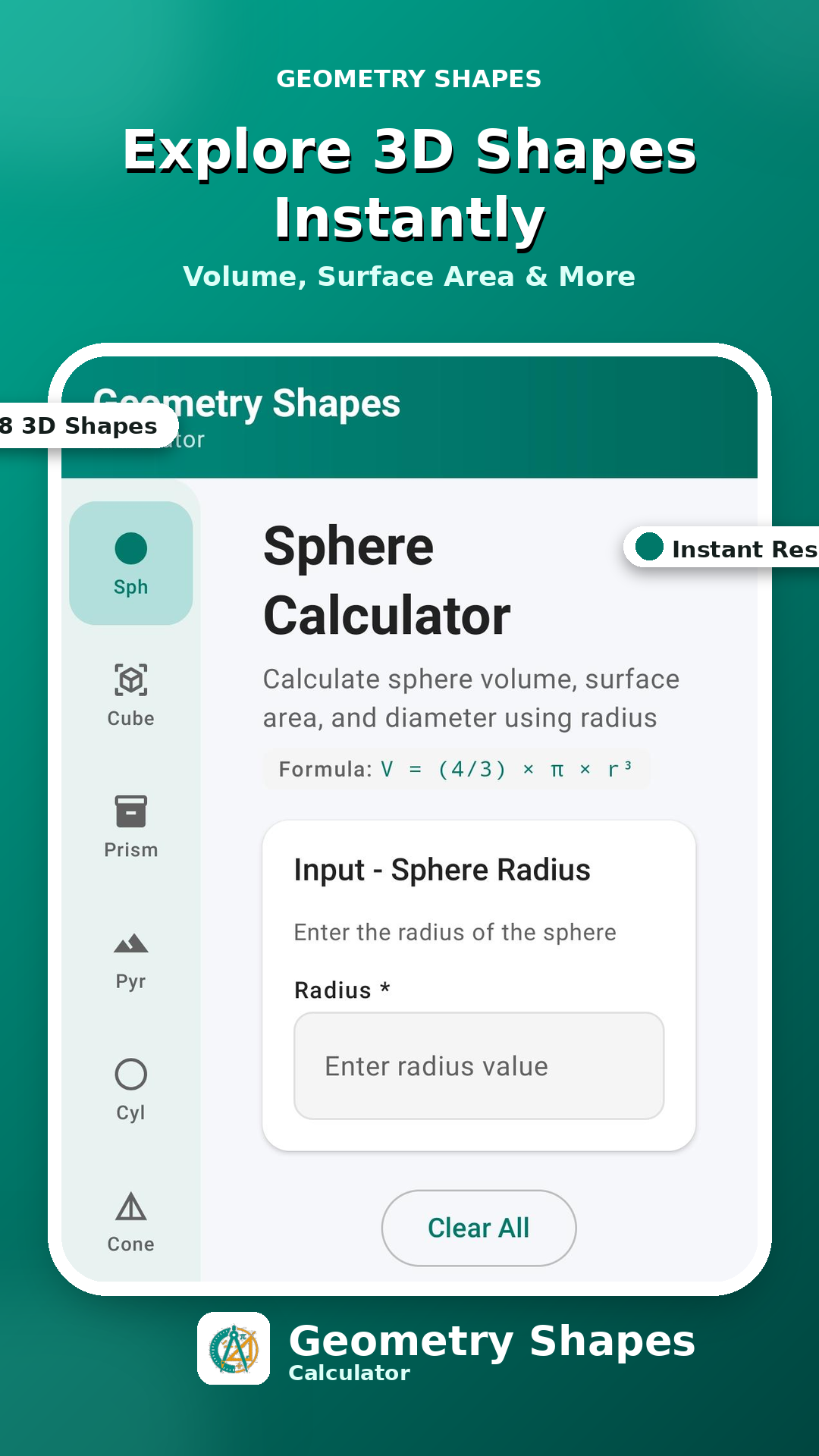
V = (4/3)·π·r³
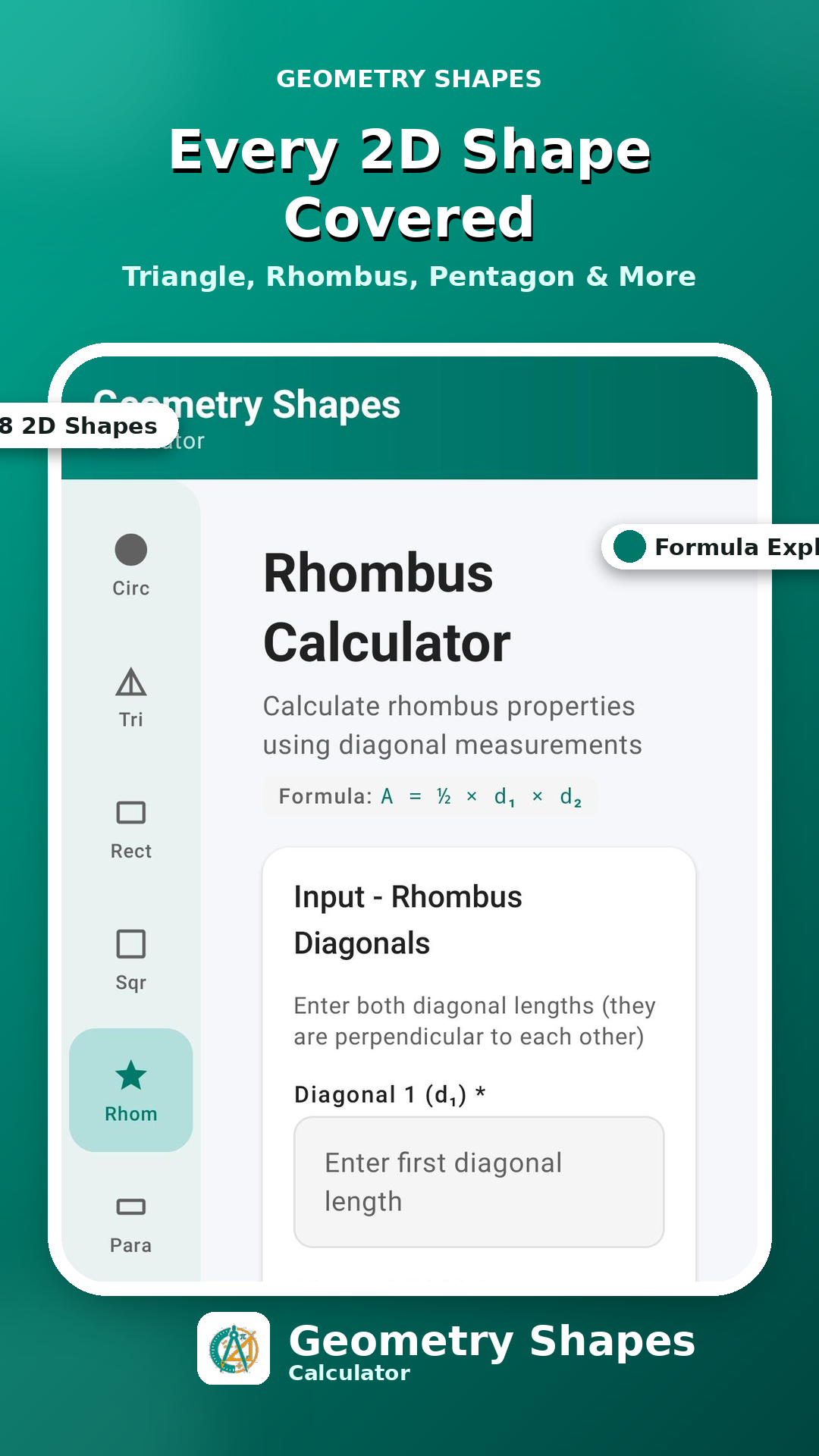
A = ½·d₁·d₂
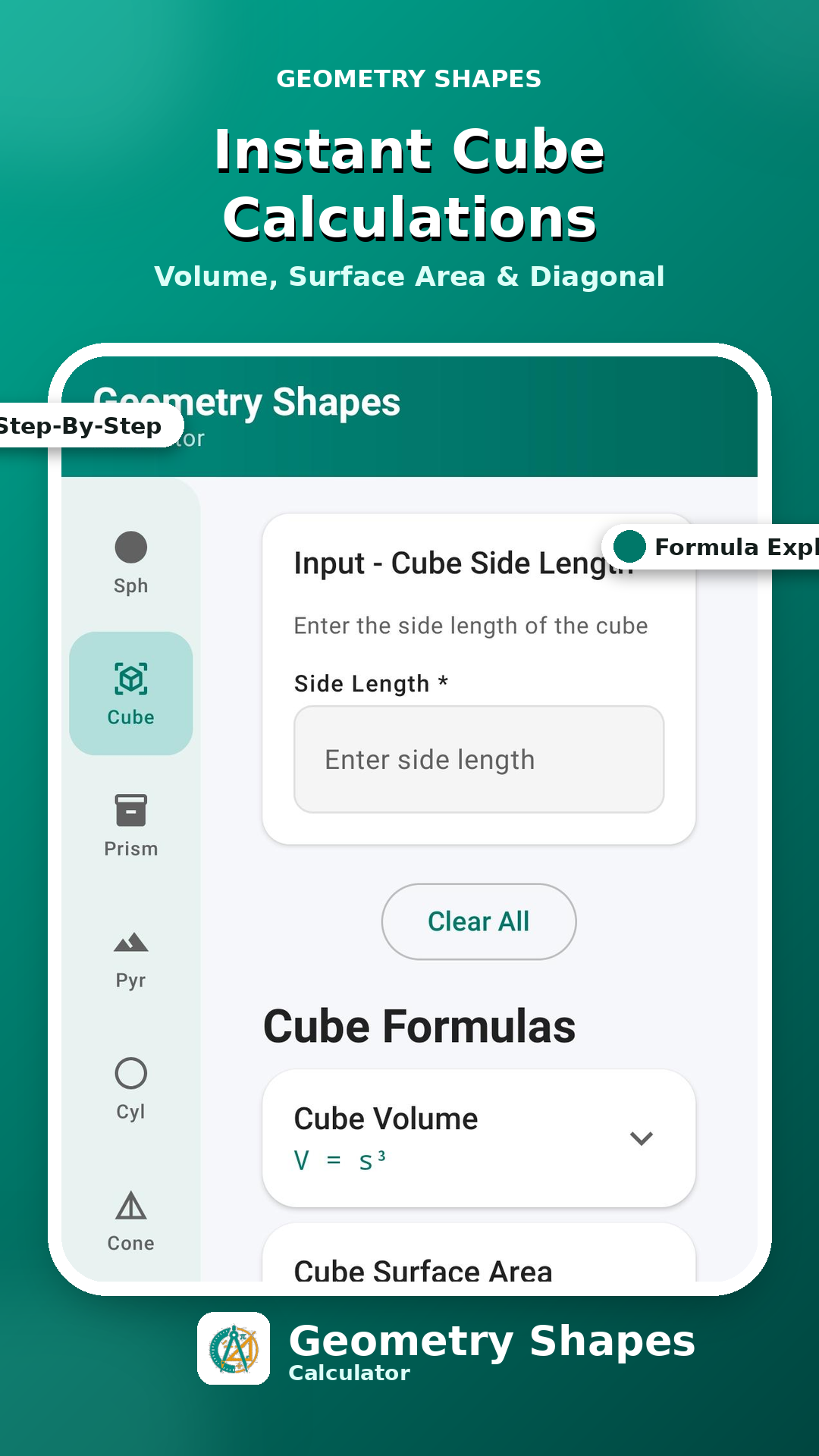
V = s³
Sphere calculator screen showing volume and surface area formula
Built for accuracy

Everything a geometry calculation needs

One tool for students checking homework, engineers sizing parts, and teachers building lessons.

8 2D shape calculators

Circle, Triangle (3 modes), Rectangle, Square, Rhombus, Parallelogram, Pentagon, Trapezoid.

8 3D shape calculators

Sphere, Cube, Cylinder, Rectangular Prism, Cone, Pyramid, Ellipsoid, Prism.

Multiple calculation modes

Solve triangles from base & height, three sides, or two sides & an angle — same for other shapes.

Formula shown every time

See exactly which formula produced your result, expandable right below the answer.

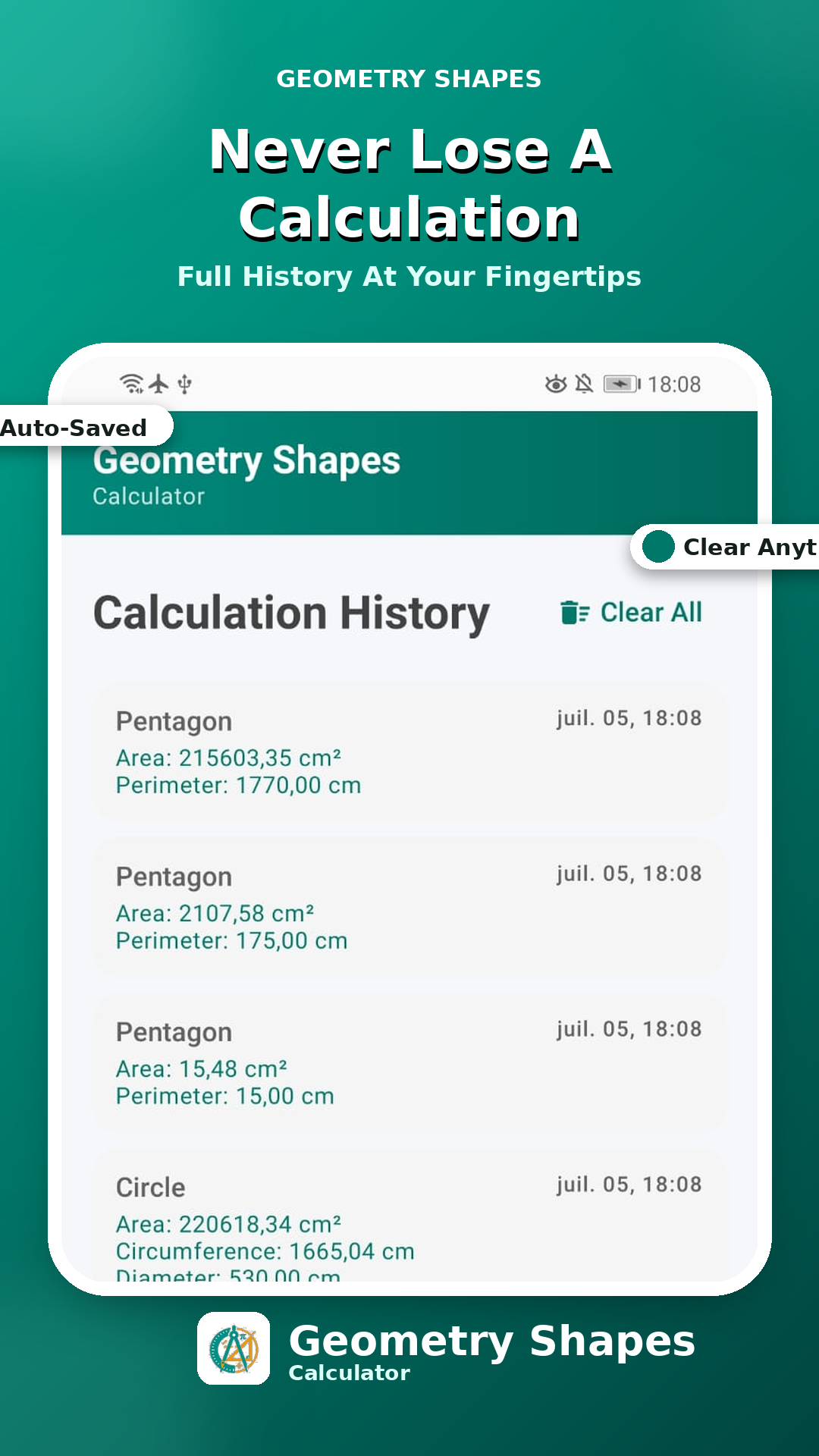
Auto-saved history

Every calculation is logged with date and time, so past work is never lost.

Dark mode

Comfortable in any light, matching your system theme or your preference.

8 unit systems

mm, cm, m, km, in, ft, yd, mi — pick what your project actually uses.

Free, no ads

Every calculator, every feature — no paywalls, no interruptions.
Three steps

From blank field to final answer

The same short path, whichever of the 16 shapes you need.

01

Choose a shape

Tap any of the 16 icons in the sidebar — 2D on one side, 3D on the other.

02

Enter measurements

Type in the values the shape needs — radius, sides, diagonals, or an angle.

03

Get instant results

Area, volume, perimeter and the exact formula used, all in real time.

Full shape library

16 shapes, fully covered

Every calculator includes the formulas behind it.

CircleArea · Circumference
Triangle3 calc modes
RectangleArea · Perimeter
SquareArea · Diagonal
RhombusDiagonals
ParallelogramBase · height
PentagonArea · Perimeter
TrapezoidTwo bases
SphereVolume · Surface
CubeVolume · Diagonal
CylinderVolume · Surface
Rect. PrismVolume · Surface
ConeVolume · Surface
PyramidVolume · Slant
EllipsoidVolume · Surface
PrismVolume · Surface
Inside the app

What it looks like in your hand

Each calculator ships with a formula reference, right where you need it.

Sphere calculator with formula display
Cube calculator with expandable formulas
Rhombus calculator using diagonal inputs
Calculation history with auto-save
Who it's for

Trusted across the field, the classroom and the drafting table

"
★★★★★

I stopped rebuilding the same volume formulas in my notes app. This has every shape from my statics course in one place, with the formula right there to double-check my work.

ES
Engineering StudentMechanical Engineering, 3rd year
"
★★★★★

Between site visits and studio reviews, I need fast, correct surface area and volume figures. The formula reference means I can explain the number, not just report it.

AP
Architecture ProfessorFaculty of Architecture
"
★★★★★

I project the triangle calculator on the board and let students see the formula update live as we change the inputs. It's become a regular part of how I teach geometry now.

MT
Math TeacherSecondary School
Questions

Good to know before you install

Is the app free?+
Yes. Every calculator and feature is free to use, with no ads and no in-app purchases.
Does it work offline?+
Yes. All calculations run on your device, so you can use every calculator without an internet connection.
What shapes are supported?+
16 shapes in total: 8 2D shapes (Circle, Triangle, Rectangle, Square, Rhombus, Parallelogram, Pentagon, Trapezoid) and 8 3D shapes (Sphere, Cube, Cylinder, Rectangular Prism, Cone, Pyramid, Ellipsoid, Prism).
Is there a dark mode?+
Yes. Switch to dark mode from settings, or let the app follow your system theme automatically.

Every shape. Every formula. One app.

Free to download, free to use, no ads — get started in under a minute.

Download on Google Play
Get the app